Cursive Fonts for Instagram: Copy & Paste Script for Bios
Cursive fonts for Instagram are everywhere once you start looking. Scroll through a few profiles and you will spot them quickly: names, bios, and captions written in flowing script that looks nothing like the app's default typeface. Instagram does not let you choose a font for your bio, so how do people do it? The answer is a clever use of Unicode, the global standard behind every character on your screen. This guide explains how cursive fonts for Instagram really work, how to add them to your profile in a few taps, which styles are worth trying, and how to keep your text readable for everyone who visits.
The Quick Answer: Putting Your Instagram Bio in Cursive
If you just want the short version, here it is. Type your text into a cursive text converter, pick a script style you like, copy the result, and paste it into the bio field in Instagram's profile editor. The cursive text generator on Cursive Generator does this conversion in your browser and gives you Unicode text you can paste into Instagram, TikTok, X, and Discord.
If a style shows up as empty boxes on someone's phone, switch to a simpler script variant and test again. The rest of this article explains why that happens and how to avoid it.
What Cursive Fonts for Instagram Really Are
Here is the twist that surprises most people: when you paste cursive text into Instagram, you are not changing the font at all. Traditional fonts are files installed on a device that tell it how to draw ordinary letters. Instagram controls which font files it uses, and you cannot swap them out.
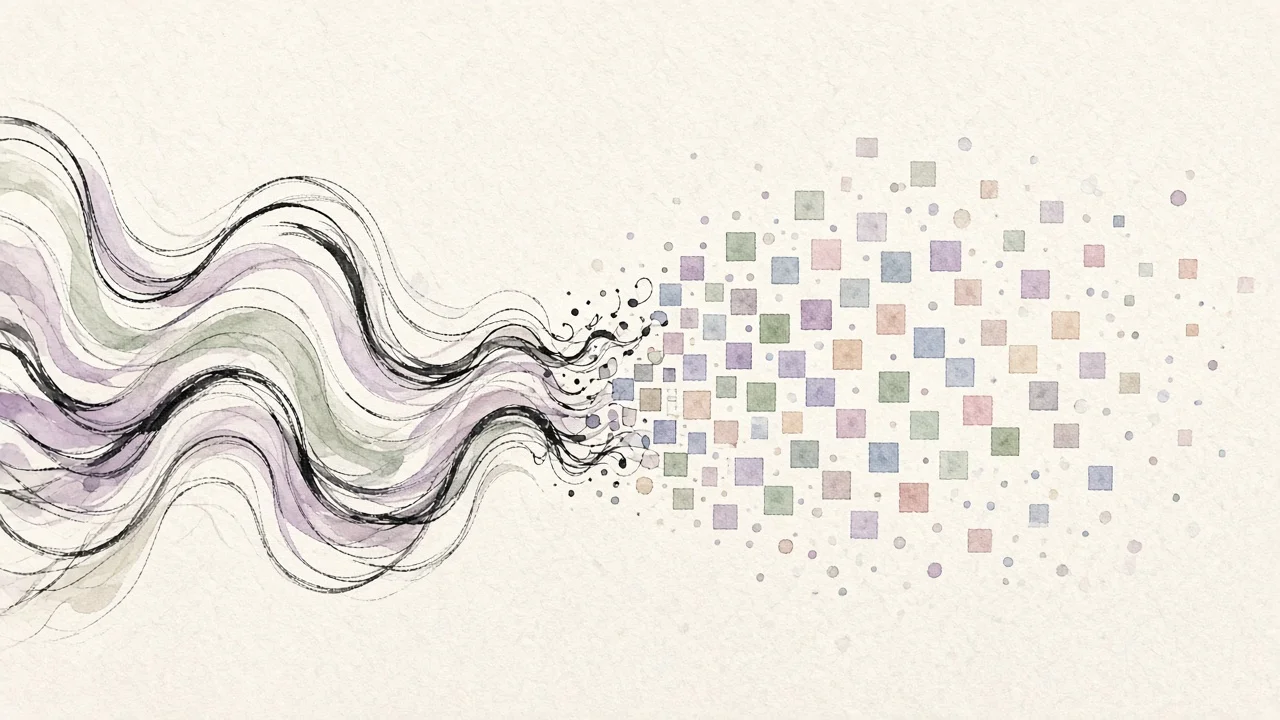
Copy-and-paste cursive works differently. It replaces each normal letter with a separate Unicode character that happens to look like a script version of that letter. Those characters come from a section of the Unicode standard called Mathematical Alphanumeric Symbols, which was created so that math and science papers could use distinct styles of letters, such as script, bold, double-struck, and Fraktur, as different symbols with different meanings.
Because these are genuine characters rather than styling, they travel with the text. Copy them from a generator, paste them into Instagram, and the platform simply displays them like any other character. Anyone whose device has a font that covers those symbols sees the same cursive look you do.
How to Use a Cursive Text Converter Step by Step
The process takes less than a minute:
- Type or paste your text. Enter your name, a short tagline, or the line you want in your caption.
- Browse the styles. Look through the available script and decorative variants and compare how your specific words look in each one. Some styles flatter short names, while others read better in longer phrases.
- Copy your favorite. Select the version you want and copy it to your clipboard.
- Paste it into Instagram. Open your profile, tap the option to edit it, and paste the text into your name or bio field. You can do the same in a caption, comment, or story text.
Cursive Generator renders everything locally in the browser, so the text you type is not uploaded to a server. It is free to use and does not require an account or email.
Tips for Better Results
- Use cursive as an accent. A cursive name or a single styled line stands out more than a bio written entirely in script.
- Mix with plain text. Combine one decorative line with normal text for the details people actually need, like what you do or where to find you.
- Check readability. Some styles are beautiful but hard to read at small sizes. Look at your profile on your phone before you settle on a choice.
- Keep key information plain. Contact details, links, and important announcements should stay in regular characters so everyone can read them.
Popular Styles to Try Beyond Cursive
Unicode-based generators in general tend to group their output into a few families. Not every converter offers all of them, but knowing the families helps you find a look that fits your profile:
- Cursive and script. The classic choice for names and signatures, usually available in a light version and a heavier, bolder version. Bolder script tends to stay readable at small sizes.
- Bold and italic. Useful for emphasizing a word in a caption where the app does not offer formatting.
- Gothic and Fraktur. Dramatic blackletter shapes with a medieval or edgy feel, popular in gaming communities.
- Bubble and squared. Playful letters wrapped in circles or boxes that grab attention.
- Monospace. A typewriter-style look that feels minimal or retro.
- Decorated text. Letters combined with symbols or flourishes for extra personality.
Not every family displays equally well on every device, which brings us to compatibility.
Where Copy-and-Paste Cursive Works
Because the output is ordinary Unicode text, it can go almost anywhere you can type: your Instagram name and bio, captions, comments, and story text, as well as other social apps such as TikTok, X, and Discord. It is a convenient way to keep a consistent look across your profiles.
That said, consistent display depends on the viewer's device having fonts that cover the specific symbols you used. Modern phones and computers handle the common script styles well. More unusual ranges are where problems are most likely to appear.
Why Some Cursive Text Shows Up as Boxes
If you have ever seen a row of empty rectangles where someone's fancy name should be, you have met what designers call "tofu." It appears when the device viewing the text does not have a font that includes a particular Unicode character, so it draws a placeholder box instead.
Tofu is not caused by the generator or by Instagram. It is a gap in the viewer's system fonts. To reduce the chance of it:
- Favor widely supported script styles over rare, highly ornate ones.
- Check your profile on more than one device if you can, ideally both an iPhone and an Android phone.
- If someone reports boxes, switch to a simpler style.
Why You Can't Just Copy Fonts From a Word Processor
People often ask why they cannot write something in a pretty font in a word processor and paste it into Instagram. The difference comes down to characters versus styles.
When you pick a font in a word processor, the letters underneath are still the standard A, B, and C. The font is only a visual instruction attached to them. When you paste that text somewhere else, the instruction is usually dropped, because the destination app decides its own font. You end up with plain text again.
A Unicode converter swaps the characters themselves. Instead of a regular "A," you get a different code point, such as Mathematical Script Capital A, which already looks like script. Since the look is built into the character, it survives the copy and paste.
Cursive Text and Your Personal Brand
On social media, the way your text looks is part of how people remember you. A consistent cursive name or tagline can work like a small visual logo. Small businesses sometimes use the same styled line in posts and bios so followers recognize them instantly, while creators use it to signal a mood, whether elegant, playful, or artistic.
Streamers and gamers also like styled usernames because they stand out in chats and leaderboards. Whatever the reason, the strongest results come from choosing one look and sticking with it rather than changing styles every week.
If you want to see how your own name looks in a range of cursive styles before you commit, the name in cursive tool lets you preview it quickly.
When You Need an Image Instead of Text
Unicode text is ideal for bios and captions because it stays editable and searchable. But it is limited to the styles the Unicode standard happens to include, and it depends on the viewer's fonts. When you need the exact look of a real handwriting font, for example in a story graphic, a highlight cover, or a post image, an image file is the better choice.
The main Cursive Generator lets you type any text, preview it across a library of 121 open-source script and calligraphy fonts, and export it as a transparent PNG or an SVG file with no watermark. You can then place the image in your design app or directly in a story. The fonts are openly licensed, so your designs can be used for personal and commercial posts.
A Closer Look at the Unicode Standard
Think of Unicode as a giant shared catalog: every letter, symbol, and emoji in every writing system gets its own number, so a phone in Tokyo and a laptop in Toronto agree on what to show. Without it, messages sent between different devices would regularly turn into strings of broken symbols. The organization that maintains the standard, the Unicode Consortium, assigns every character a unique code point.
Among the many blocks in the standard is the range of Mathematical Alphanumeric Symbols, which contains styled versions of the Latin alphabet and digits. They were intended for academic and scientific writing, where a script "L" and a bold "L" can stand for different things. Creative internet users soon realized these characters could double as decorative text for social media, and copy-and-paste font generators were born. A converter simply maps each letter you type to its matching styled symbol, which is why the results appear instantly.
Accessibility and Privacy Considerations
Styled Unicode text looks great, but it has a real downside for some readers. Screen readers often announce each character by its official name, such as "mathematical bold script capital A," instead of reading the word naturally, or may skip the characters entirely. For someone relying on assistive technology, a bio written fully in script can become confusing or unusable.
The best practice is to use cursive text sparingly. Keep it to decorative elements like your display name or a short headline, and write the substance of your bio and captions in plain text. This way your profile looks distinctive while staying accessible to everyone.
On privacy, it is worth choosing a tool that does its work locally. Cursive Generator renders text in your browser rather than sending it to a server, so what you type stays on your device.
Frequently Asked Questions
Can I really use cursive fonts in my Instagram bio?
Yes. Copy cursive Unicode text from a converter and paste it into the bio field in Instagram's profile editor. It is one of the most common uses for these tools.
Why does my cursive text appear as boxes for some people?
That is "tofu." It happens when a viewer's device lacks a font that covers the specific Unicode characters you used. Simpler, widely supported script styles reduce the chance of it.
Is it allowed to use Unicode cursive text?
Unicode characters are part of an international standard that anyone can type and share. You are using characters, not copying a font file.
Will cursive text slow down my profile?
Generally not. Unicode characters are ordinary text, so they do not depend on downloading extra font files.
Is the text searchable?
Not in the usual way. Because the styled letters are different characters from normal letters, searches for your plain name may not match them. That is another reason to keep important words in regular text.
What is the difference between cursive Unicode text and a cursive font image?
Unicode text is made of characters you can paste and edit, but its look depends on the viewer's device. An image, such as a PNG or SVG exported from Cursive Generator, shows exactly the font you chose but cannot be edited as text inside the app.
Is Cursive Generator free?
Yes. It is free with no sign-up and no watermark, and it runs in your browser.
Try it yourself — free
Runs in your browser. No sign-up, nothing uploaded.
Open the free tool →Related posts
Cursive Capital Letters: A to Z Guide for Beginners
Learn cursive capital letters A to Z: why uppercase script differs from print, which capitals are hardest, and how to practice with free charts and…
Read →
Cursive Tattoo Font Guide: Pick a Script That Ages Well
How to choose a cursive tattoo font: five tests for script lettering, six well-known styles scored, placement and size tips, and how to preview your…
Read →
How to Sign Your Name in Cursive: Step-by-Step Guide
Learn how to sign your name in cursive: audit your handwriting, pick a format, build a signature in layers, and test it until it survives real-world…
Read →