Wedding Stationery and Invitations
Combine couple initials using the A & B layout or Wedding pair preset to print crisp monograms on save-the-dates, place cards, and wedding programs.
Create custom initials and monograms with 122 open-source fonts, classic frames, and instant transparent PNG or vector SVG downloads.
Create balanced monogram designs with our free monogram generator. Type one to three initials, add an optional name line, and customize your layout with 122 open-source fonts and classic geometric or floral frames. Adjust letter size, angle, ink color, and background directly in your browser, then download transparent 1800×1800 PNG or vector SVG files with no watermarks.
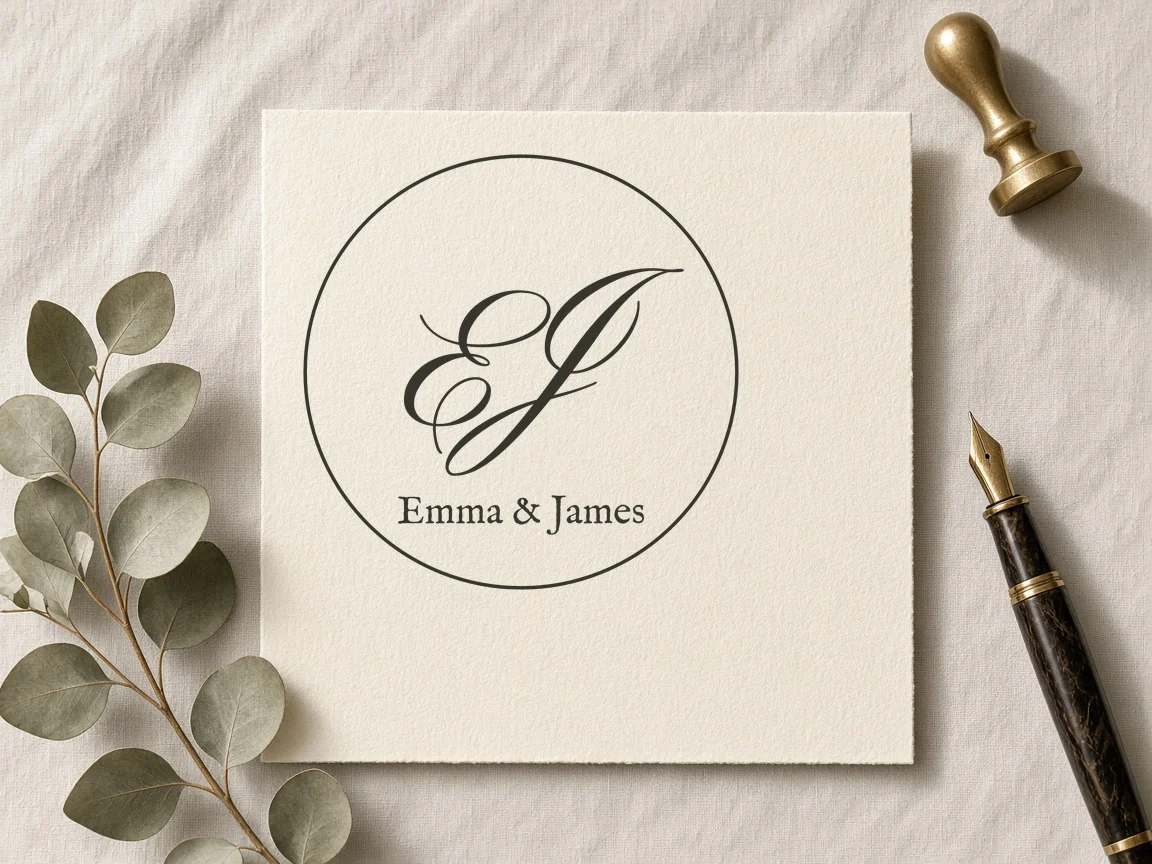
Type one to three letters and add an optional name line below.
Pick from four letter layouts and select geometric or laurel wreath frames.
Select from 122 open-source fonts, adjust size and angle sliders, and set colors.
Download an 1800×1800 PNG or scalable vector SVG file with zero watermarks.
Combine couple initials using the A & B layout or Wedding pair preset to print crisp monograms on save-the-dates, place cards, and wedding programs.
Design classic circular or gothic monogram crests using the Classic circle or Gothic seal presets for custom wax seal stamps and embossed stationery.
Export 1800×1800 transparent PNG files to mark digital portfolios, social graphics, and custom email headers with a balanced typographic mark.
| Feature | ✦ Cursive Generator | Account-Based Generators |
|---|---|---|
| User Registration | ✓No account, sign-up, or login required. | –Requires account sign-up and email confirmation. |
| Data Privacy | ✓Renders locally in browser; text is not uploaded. | –Transmits entered initials to remote servers. |
| Font Licensing | ✓122 open-source fonts for personal and commercial use. | –Commercial licensing often locked behind paid plans. |
| Vector SVG Export | ✓Free vector SVG and 1800×1800 PNG downloads. | –Vector files frequently restricted to premium subscribers. |
| Watermark Policy | ✓Clean exports with zero watermarks. | –Adds visible watermarks on free tiers. |
Design balanced monogram emblems with live canvas previews, multiple layout arrangements, and classic decorative borders.
Interactive sliders give you precise control over letter size and baseline angle directly on the canvas. You can select custom ink colors and set backgrounds to transparent, white, or cream. Because all calculations run locally in your browser, every adjustment previews immediately without network lag or page refreshes.
Download crisp 1800×1800 raster graphics or infinite vector files suitable for screen displays and professional printing.
Export high-resolution raster images with transparent, white, or cream backgrounds.
Generate vector SVG paths that scale to any print or embroidery size without blur.
Transparent PNGs place cleanly on invitations and documents without white bounding boxes.
Every exported file is completely free of watermarks, logos, or usage restrictions.
Vector SVG files can be imported directly into design and craft software for laser engraving, embroidery machines, or stationery layout. The 1800×1800 PNG provides sharp resolution for digital cards, web headers, and digital document stamps. Both formats download instantly from your browser without queues or compression artifacts.
Create personal monograms with total client-side privacy and permissive open-source licensing for any project.
Because Cursive Generator requires no server communication to render your initials, your names and letters stay entirely private. You are free to apply your generated monograms across personal wedding stationery, client branding projects, product labels, and retail packaging without paying license fees or attributing the tool.
Try also: name in cursive · cursive worksheets · tattoo fonts · wedding calligraphy · gothic fonts · signature generator · best free cursive fonts
You can make a free wedding monogram on Cursive Generator without creating an account or paying fees. Select the A & B layout or the Wedding pair preset, type the couple's initials, and add an optional name line. Customize your styling with 122 open-source fonts, frames like the laurel wreath or double circle, and export an 1800×1800 PNG or scalable SVG.
Yes, all exported monograms can be used for both personal and commercial projects. Cursive Generator bundles 122 open-source fonts licensed under the SIL Open Font License or Apache 2.0. You are free to print designs on physical merchandise, incorporate them into client branding, or use them on commercial stationery.
Yes, the monogram generator is entirely free to use with no hidden tiers or fees. You never need to sign up, log in, or provide payment details to access features. Every layout, frame, font, and export format is available without limitations.
No, your text and initials are never uploaded to any remote server. All canvas rendering, font shaping, and file generation occur locally within your web browser on your device. Your data remains strictly private on your computer or phone.
The tool supports four layouts: Single letter, Two letters (AB), Three letters (A B C with a larger middle letter), and A & B with an ampersand. You can also add an optional name line below any letter arrangement. These options let you build traditional three-letter monograms, modern couple initials, or individual cyphers.
You can choose between a circle, double circle, diamond, double-line square, laurel wreath, or no frame at all. These frames frame your initials neatly and automatically scale to fit your selected letter size. You can also test ready-made combinations using presets like Classic circle, Laurel crest, or Gothic seal.
You can download your monogram as an 1800×1800 pixel PNG or as a scalable vector SVG. The PNG export supports transparent, white, or cream backgrounds for digital and web use. The vector SVG format scales to any dimension without blurriness, making it suitable for sharp print stationery or vector software.
Choose the Three letters layout, which automatically formats your initials with a larger middle letter. Type your three initials into the input box to see the center initial enlarged according to traditional monogram conventions. You can then adjust the letter font, name font, letter size, and angle slider to balance the final design.
Yes, the tool allows you to select one font for your initials and a separate font for the optional name line. You can choose both typefaces from 122 open-source fonts under SIL OFL and Apache 2.0 licenses. This flexibility lets you pair an expressive script or serif initial with a legible secondary name font.
No, Cursive Generator exports clean files with zero watermarks. Both the 1800×1800 PNG images and the vector SVG downloads remain entirely unbranded. You can use your exported files immediately in your own designs without needing to edit out logos or watermarks.
You can adjust ink color directly and choose between transparent, white, or cream backgrounds in the tool settings. Selecting a transparent background outputs a clean PNG cutout ready to place over colored cardstock or digital layouts. The canvas updates instantly as you switch colors so you can verify contrast before downloading.
Type your initials above to explore 122 open-source fonts, geometric frames, and download your free graphics.
Design Monogram →